

Mobile phones have become powerful creative machines. What once required a high-end PC or laptop can now be done in the palm of your hand. In 2025, editing with mobile is no longer just a convenient option—it is a full-fledged professional workflow for creators, freelancers, vloggers, students, and marketers. With powerful chipsets, advanced cameras, AI-powered tools, and optimized apps, smartphones can now deliver studio-quality output within minutes.
This comprehensive guide—brought to you by SyTechBd, your trusted digital tech partner—explores every detail of editing with mobile, from essential apps to workflows, optimization, and pro-level techniques. Whether you’re editing videos, photos, reels, shorts, or long-form content, this guide ensures you get the best results using just your phone.
Why Editing With Mobile Is Becoming the New Standard
In recent years, the rise of short-form content, on-the-go production, and social media platforms like TikTok, YouTube Shorts, Instagram Reels, and Facebook Videos have pushed creators to adopt faster workflows. With ultra-efficient apps and AI features, editing with mobile is now:
✔ Faster
Mobile editing apps offer drag-and-drop simplicity and real-time rendering.
✔ More Accessible
No expensive PC setup is needed. A smartphone and a few apps are enough.
✔ Portable
Creators can shoot, edit, and upload—all from anywhere.
✔ AI-Enhanced
Automatic color correction, sound removal, background blur, caption generation, and more.
✔ Optimized for Social Media
Built-in templates, aspect ratios, and export settings save tons of time.
This is why professional creators, including filmmakers and influencers, now integrate editing with mobile into their workflow.
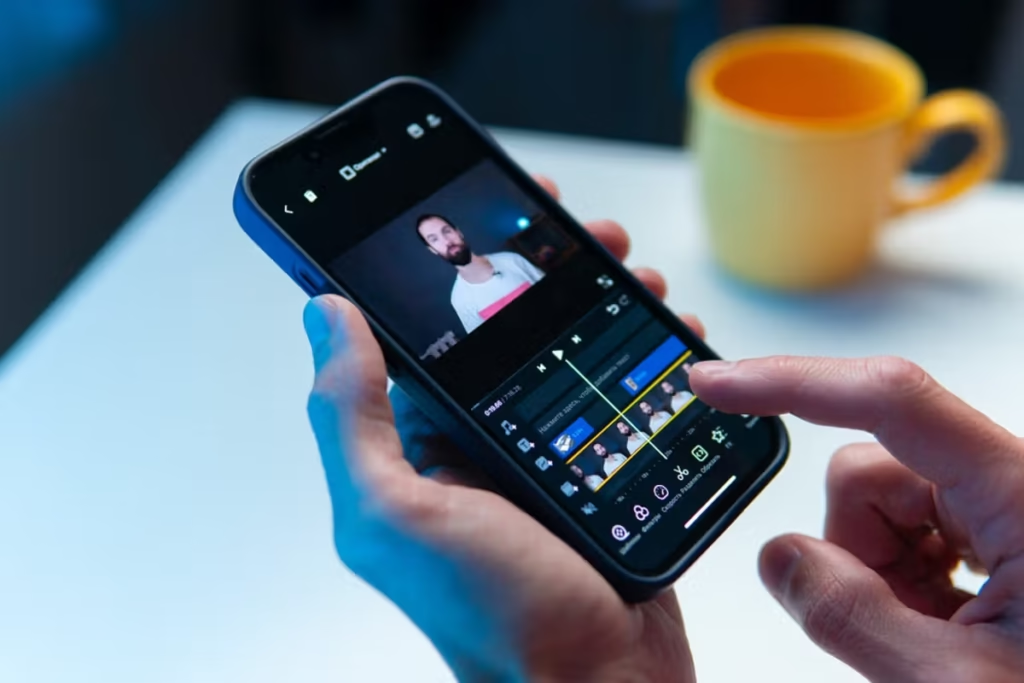
Section 1: Essential Apps for Editing With Mobile (2025 Edition)
Not all apps offer the same level of power or flexibility. To master editing with mobile, you need the right tools. Below are the best apps for different types of editing:
1. CapCut (Best Overall Mobile Editor)
CapCut is currently the world’s fastest-growing mobile editing platform. It includes:
- Multi-layer timeline
- AI auto captions
- Background remover
- 4K exports
- Templates for reels/shorts
- Green screen tools
- Auto beat sync
Perfect for: video editing with mobile, short-form content, vlogs, transitions.
2. Kinemaster (Pro-Level Features)
Features include:
- Chroma key
- Voice changer
- Multi-track audio
- Color grading
- Frame-by-frame editing
- LUT support
It is ideal for creators who want full control when editing with mobile.
3. VN Editor (Best for Long Videos)
VN is clean, professional, and perfect for cinematic edits.
Key features:
- Curve control
- Keyframe animation
- Filters + LUTs
- Text effects
- Multi-track timeline
Great for YouTube long videos, montages, or documentaries edited entirely with mobile.
4. Lightroom Mobile (Photo Editing King)
For photo editing with mobile, Lightroom remains unbeatable.
Features:
- RAW photo editing
- Presets
- Color toning
- HSL adjustments
- Masking + sky selection
- Noise reduction
Influencers and product photographers love it.
5. Alight Motion (Motion Graphics & Animation)
If your mobile edits require animated text, vector graphics, or keyframe-heavy transitions, Alight Motion is ideal.
Used widely for TikTok transitions and cinematic edits.
Section 2: The Complete Workflow for Editing With Mobile
To maintain professional quality, creators should follow a structured workflow. Here’s the complete editing with mobile process:
Step 1: Shoot High-Quality Footage
Even the best editor cannot fix poorly shot video. Follow these tips:
- Shoot in 4K 30fps or 60fps when possible
- Use gridlines for better composition
- Keep your lens clean
- Use a gimbal or tripod to avoid shaky video
- Lock exposure while shooting
Good footage makes editing with mobile smooth and professional.
Step 2: Organize Your Files
Before editing, place your clips in folders:
- Raw videos
- B-roll
- Voiceovers
- Music
- Graphics
- Screenshots
This saves time and avoids clutter in the timeline.
Step 3: Import Footage Into Your Editing App
Open CapCut, VN, or Kinemaster and import everything. Select the correct aspect ratio:
- 9:16 – Reels/Shorts
- 16:9 – YouTube
- 1:1 – Instagram Feed
- 4:5 – Facebook/Instagram Feed
- 21:9 – Cinematic
Choosing the right ratio is crucial for SEO and reach.
Step 4: Trim & Arrange Clips
This is where the real editing with mobile begins:
- Cut unwanted parts
- Place clips in logical order
- Add B-roll to hide jump cuts
- Maintain pacing based on music
Avoid too many unnecessary transitions.
Step 5: Add Music & Sound Effects
Audio is 50% of your content. Always:
- Use copyright-free music
- Adjust volumes
- Use fade-in and fade-out
- Add ambient sound for realism
Good sound design elevates editing with mobile to professional standards.
Step 6: Color Correction & Grading
Mobile apps now support:
- LUTs
- HSL
- Curves
- Exposure
- Temperature
- Vibrance
For clean color:
- Increase contrast slightly
- Add a bit of sharpness
- Correct skin tones with HSL
- Apply cinematic LUT lightly
Step 7: Add Text, Captions & Graphics
Use modern typography. Don’t overdo it. CapCut’s auto-caption tool is perfect.
Captions improve:
- SEO
- Accessibility
- Watch time
Step 8: Add Transitions & Effects
Use transitions wisely:
- Smooth
- Zoom
- Spin
- Speed ramp
- Motion blur
- Flash
Pro tip: Too many transitions ruin the flow.
Step 9: Export Settings
For best results when editing with mobile, use:
- Resolution: 1080p or 4K
- FPS: 30 or 60
- Bitrate: 10–25 Mbps
- Codec: H.264 or H.265
These settings ensure crisp quality even on social media.
Section 3: Pro Tips for Editing With Mobile Like a Professional
✔ Use AI tools to save time
AI background remover, auto captions, voice noise reduction, auto color grading.
✔ Shoot in good lighting
Better lighting means easier editing.
✔ Use external microphones
Improves audio drastically.
✔ Use templates wisely
They increase productivity but avoid overusing them.
✔ Leverage cloud storage
Save your project files online to avoid losing progress.
✔ Keep your apps updated
New features appear almost every month.
✔ Practice consistency
Editing with mobile gets easier and more professional with practice.
Section 4: Common Mistakes Beginners Make While Editing With Mobile
❌ Using too many effects
It looks unprofessional.
❌ Poor audio
Always clean up noise and balance volume.
❌ Ignoring aspect ratios
This harms reach and visibility.
❌ Overusing filters
Natural looks better than heavy color grading.
❌ Exporting at low quality
Always export at the highest possible settings.
❌ No storytelling
Editing with mobile is not only about cutting clips—it’s about telling a story.
Section 5: Why SyTechBd Recommends Mobile Editing for Modern Creators
At SyTechBd, we’ve helped thousands of creators grow their content quality. We recommend editing with mobile because:
- Smartphones today are extremely powerful
- Editing apps are beginner-friendly
- It saves money on expensive hardware
- Perfect for fast content creation
- Supports freelance earning
- Ideal for influencers and small businesses
Whether you’re a beginner or a professional, mobile editing is a future-proof skill.
Section 6: The Future of Editing With Mobile (2025–2030)
Mobile editing will continue to evolve. Future improvements:
✔ Full AI automation
Edit entire videos in seconds.
✔ Real-time 3D effects
Phones will support 3D objects and AR overlays.
✔ Desktop-level color grading
More powerful chipsets and apps.
✔ Cloud editing
Edit large files without storing them locally.
✔ Collaboration in real-time
Multiple editors working on the same project.
Mobile phones are growing faster than PCs. This means editing with mobile will soon become the primary workflow for creators worldwide.
Conclusion
In 2025 and beyond, editing with mobile is an essential skill for anyone who wants to create high-quality content quickly, affordably, and efficiently. With the right techniques, apps, workflow, and creativity, your smartphone becomes a complete filmmaking and editing studio. SyTechBd is committed to helping creators evolve with the latest digital trends, and mobile editing is one of the most important transformations of this decade.
Whether you’re editing a vlog, business ad, wedding video, or Instagram reel—editing with mobile gives you the power to produce stunning content anytime, anywhere.